I spent the better part of a weekend trying to get OpenClaw running on a Hostinger shared hosting account. I want those hours back.
Here's what happened: I'd get through the install, Docker would refuse to run because — surprise — shared hosting doesn't give you root access. I'd work around that, and then the persistent processes would get killed by the host's resource monitor. I'd work around that, and then the WebSocket connections would die because the shared environment's security rules blocked them.
Three days of this. Three days of fighting infrastructure instead of building.
Then I spun it up on a dedicated Mac mini sitting on my desk. Twenty minutes. Everything worked. That's when it clicked: the infrastructure is the product decision.
What OpenClaw Actually Is (And Why It's Everywhere)
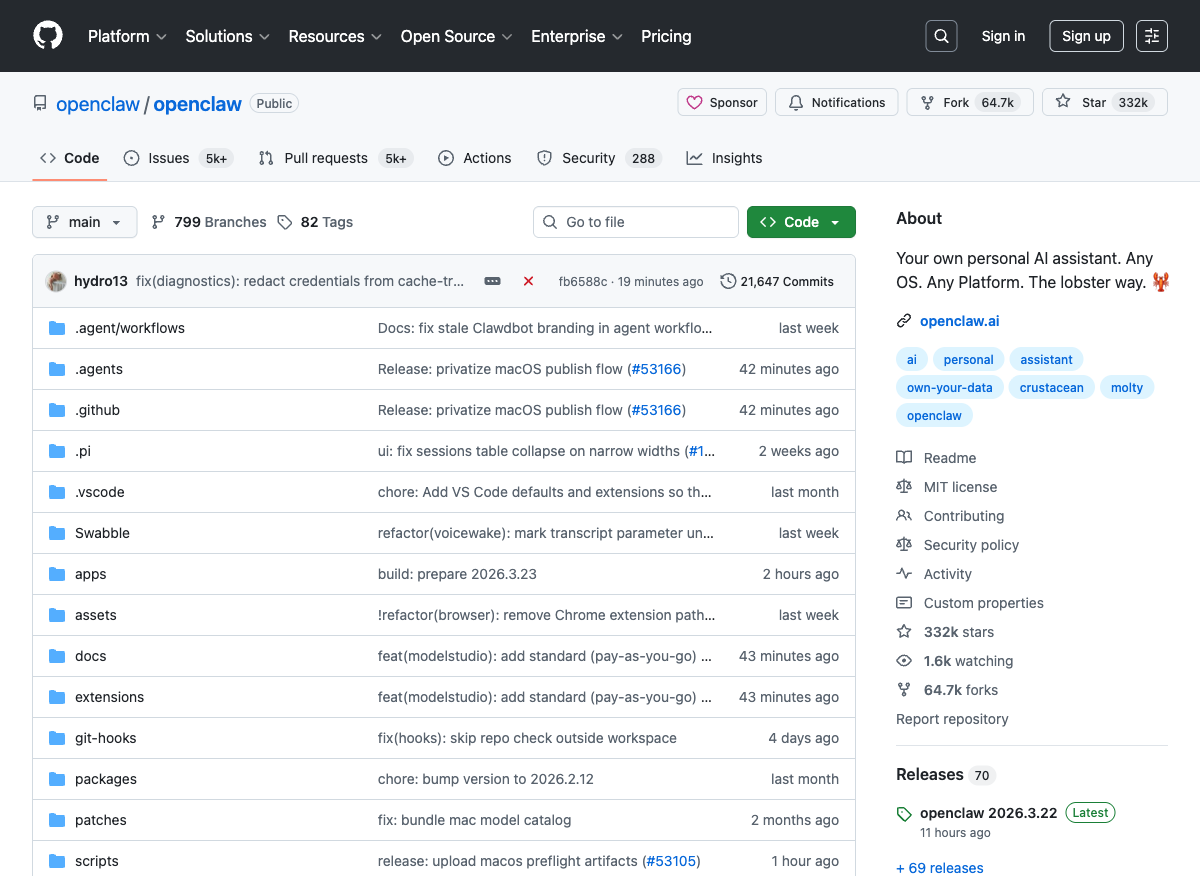
If you've somehow missed it, OpenClaw is the open-source AI agent framework that just surpassed React as GitHub's most-starred software project — 250,000+ stars in roughly 60 days. For context, React took 10 years to get there.
It started as "Clawdbot" in November 2025, built by Peter Steinberger. By late January 2026 it went viral. By mid-February, Steinberger had joined OpenAI and transitioned the project to an independent foundation.
The pitch is simple: a self-hosted AI agent that connects to your messaging apps — WhatsApp, Telegram, Discord, iMessage — and actually does things. Shell commands, file management, web automation, email. Over 5,700 community-built skills on ClawHub. It's not a chatbot. It's an operating system for personal AI.
Why Shared Hosting Is a Fool's Errand
I'm not the only one who learned this the hard way. Bluehost literally published a comparison explaining why it doesn't work: no root access, CPU throttling kills agent performance, background processes get murdered, and the security sandbox blocks exactly the kind of system-level access OpenClaw needs.
OpenClaw needs Docker. It needs persistent WebSocket connections. It needs to run 24/7 on a heartbeat schedule, waking up to act on your behalf. Shared hosting fights you on every single one of these requirements.
The Hardware That Actually Works
The community has settled on three tiers, and the sweet spot might surprise you:
Raspberry Pi 5 (8GB) — ~$80. Andrew Fisher ran OpenClaw on a Pi as a research assistant and it worked — with caveats. You need an NVMe SSD (not an SD card — the performance difference is dramatic for OpenClaw's constant small reads/writes). You can't run local models, so you're API-only. But for $80, you get a silent, always-on agent.
Mac mini — ~$599. This is the community favorite. Apple Silicon efficiency, native macOS automation (iMessage, Calendar, Shortcuts), and insanely low idle power draw. One guy on travis.media repurposed an M1 MacBook Pro with a dead screen — repair shop wanted $1,200 to fix it, but as a headless OpenClaw server it's perfect. His Pi 4 was hitting out-of-memory kills on semantic search. The M1? Zero OOM kills since switching.
Dedicated VPS — $20-50/month. Hostinger actually offers one-click OpenClaw deployment on their VPS plans (ironic, given my shared hosting disaster). Their KVM 4 plan with 4 vCPU and 8GB RAM handles production workloads fine.
The Stuff Nobody Tells You
Memory is the silent killer. A production report from SitePoint found that even with a 32GB container limit, the OpenClaw core process climbed to 28GB by day three. Long-running agent sessions accumulate context state that never gets fully garbage collected. You need to restart sessions regularly or you'll watch your agent slow to a crawl.
Security is not optional. This isn't FUD — Microsoft published a security guide, Cisco called it a "security nightmare", and 335 malicious skills were found on ClawHub — including keyloggers disguised as innocuous tools like "solana-wallet-tracker." Run it in Docker isolation. Vet every skill you install. This thing has root-level access to your machine.
NVIDIA just entered the chat. Three days ago at GTC, Jensen Huang announced NemoClaw — essentially OpenClaw with enterprise-grade security bolted on. It adds sandboxing, network guardrails, and policy-based security. It's alpha, but it signals where this is headed: OpenClaw is becoming enterprise infrastructure. Huang literally called it "the operating system for personal AI."
Why You Should Start Now
Here's my actual take: OpenClaw is messy, it's got security holes, and most people spend their first two weeks watching their agent burn through API credits looping on the same task eight times.
Start anyway.
I was texting with my 28-year-old son the other night — both of us up past midnight, both building with AI on opposite sides of town. That's the world we're in now. The tools are raw but the trajectory is unmistakable. NVIDIA doesn't build enterprise wrappers around toys. AWS doesn't launch managed OpenClaw on Lightsail for science projects.
The people who learn this stack now — who eat the sharp edges and build the muscle memory — will be the ones running enterprise deployments in 18 months. I've seen this pattern before. Docker in 2014. Kubernetes in 2017. The early adopters who suffered through the rough versions became the experts everyone hired later.
Get a Mac mini. Or a Pi 5. Or a $20/month VPS. Just don't try to run it on shared hosting. Trust me on that one.
What I'm Watching
-
OpenClaw Full Tutorial for Beginners by freeCodeCamp — The best single resource for getting started. 55 minutes covering install, model setup, memory, security, and skills. Skip the docs and watch this first.
-
Use OpenClaw to Build a Business That Runs Itself by Peter Yang with Nat Eliason — Nat gave his OpenClaw bot $1,000 and it made $14,718 in three weeks. Wild demo of what's possible when you stop thinking of these as chatbots and start thinking of them as employees.
-
Running OpenClaw Safely by Microsoft Security — Not a video, but the most thorough security guide available. Read this before you give an AI agent access to your filesystem.
The Bottom Line
OpenClaw on shared hosting is a waste of your time. OpenClaw on dedicated hardware is the beginning of something that's going to reshape how technical people work. The $80 Raspberry Pi or the $599 Mac mini isn't a cost — it's the price of admission to the next platform shift. Get in now while it's still early enough to learn by building, not by reading about what everyone else already built.